Help centerReading the data
NOAA Coral Reef Watch heat stress
Where the degree heating weeks and alert levels come from, when they appear, and how to correct them.
What Coral Reef Watch adds
NOAA Coral Reef Watch publishes daily satellite measurements of ocean heat stress on a 5 km grid. Ocean attaches the value for each survey's date and location, so you can read your photos against the heat stress the reef had been under.
- Degree heating weeks (DHW)
- NOAA's 12-week accumulation of heat above the bleaching threshold, in °C-weeks. The higher it is, the longer and stronger the recent heat stress.
- HotSpot
- How far that day's sea surface temperature is above the warmest usual monthly temperature, in °C.
- Coral Reef Watch alert
- A stress level Ocean derives from HotSpot and DHW (below).
How Ocean looks it up
- Source: NOAA Coral Reef Watch v3.1 daily 5 km products, read from NOAA's ERDDAP data servers.
- Location: the centre of the site's mapped location, or of the reef boundary when the site isn't mapped. With neither, Ocean asks you to map the site first. If the point falls on land, Ocean uses the nearest ocean pixel.
- Timing: NOAA publishes each day's data the following afternoon (U.S. Eastern Time). Until then the survey shows Pending, and a survey dated today is always pending.
- When: Ocean looks up the value when a survey is created, opened, or its date changes, and fills in missing values when you open a site.
Alert levels
| Alert | HotSpot | DHW |
|---|---|---|
| No Stress | ≤ 0 | Any |
| Bleaching Watch | above 0, below 1 °C | Any |
| Bleaching Warning | ≥ 1 °C | below 4 |
| Alert 1 | ≥ 1 °C | 4 to below 8 |
| Alert 2 | ≥ 1 °C | 8 to below 12 |
| Alert 3 | ≥ 1 °C | 12 to below 16 |
| Alert 4 | ≥ 1 °C | 16 to below 20 |
| Alert 5 | ≥ 1 °C | 20 or more |
These follow NOAA's December 2023 definitions: an alert level for every 4 °C-weeks from 4 to 20.
On the survey page
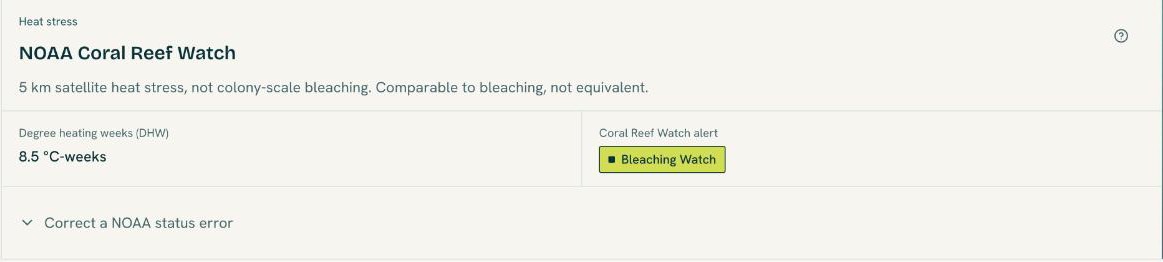
The NOAA Coral Reef Watch section on each survey shows Degree heating weeks (DHW) and the Coral Reef Watch alert. Its source menu shows the HotSpot value, the exact NOAA pixel used, and links to NOAA's page, methodology and citation guidance.
If the lookup fails, use Retry NOAA lookup. When no NOAA ocean pixel exists near the site, you can open NOAA's site and Record a status without NOAA yourself.
Correct a NOAA status
Use a correction only when the satellite status is clearly wrong for the site.
- Open Correct a NOAA status error in the NOAA section.
- Choose the Replacement Coral Reef Watch status and select Save correction.
The stamp is tagged Manual, and the NOAA value stays on file alongside it. Filters and reports use your correction. Restore NOAA status removes it. Automatic lookups never overwrite a correction.